

Frequently Asked Questions
Why am I unable to submit an FBA shipment through my existing Jetpack and Amazon integration?
Why am I unable to submit an FBA shipment through my existing Jetpack and Amazon integration?
Navigate to Settings
Access Integrations
Locate Amazon integration
Re-authenticate the connection
Sign in to Amazon Seller Central
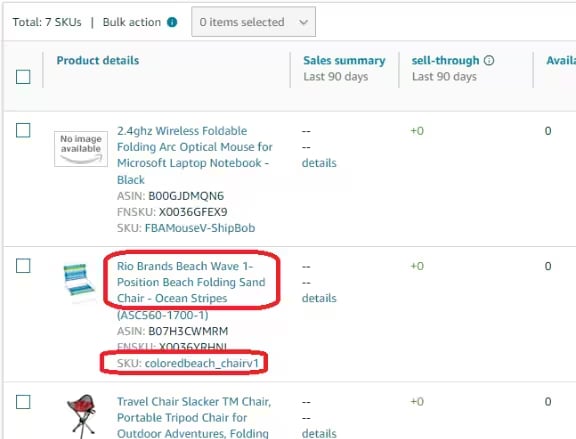
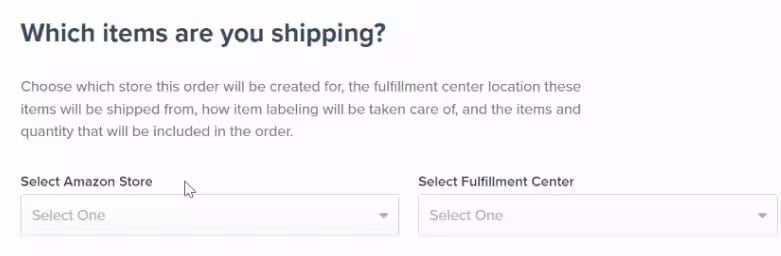
How do I locate my product in the search bar while creating an Amazon FBA order in the Jetpack dashboard?
How do I locate my product in the search bar while creating an Amazon FBA order in the Jetpack dashboard?
- Product name as listed on Amazon
- SKU to easily locate the imported product(s)
Will my product's serial scans be scanned when the Operations team is packing my FBA order?
Will my product's serial scans be scanned when the Operations team is packing my FBA order?
Can I edit an FBA shipment on the Jetpack dashboard once submitted?
Can I edit an FBA shipment on the Jetpack dashboard once submitted?
Cancel the order in Jetpack
Cancel the order in Amazon Seller Central
Re-submit the corrected order
Related Resources
Learn more about Amazon FBA prep and troubleshooting:- Creating Automated FBA Shipments - Step-by-step guide to creating automated FBA shipments
- Troubleshooting Amazon FBA Errors - Resolve common FBA integration and shipment errors
- Manual FBA Prep - Alternative manual FBA prep workflow
- Amazon FBA Overview - Learn about Jetpack’s FBA prep services

Questions? Contact Jetpack Care.
If you have any questions or run into issues with automated FBA prep, you can always contact Jetpack Care for help. Our team is always here to assist via Slack, phone, or email!