

Every order in your Jetpack dashboard has a status that tells you exactly where it is in the fulfillment journey—from the moment we receive it to when it’s delivered to your customer. Understanding these statuses helps you monitor orders, identify issues, and take action when needed.
How Order Statuses Work
The Orders page provides real-time visibility into each order created in your Jetpack dashboard. Once an order is created, Jetpack’s Operations team begins fulfillment based on our service level agreements (SLAs), provided there are no issues preventing fulfillment.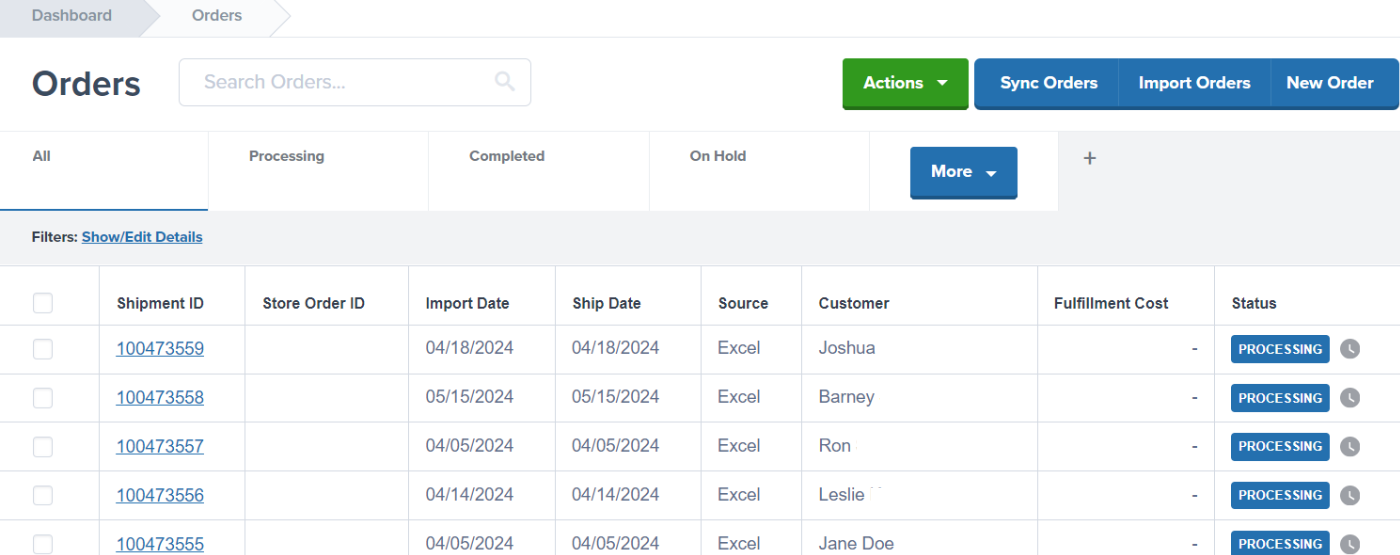
Order Statuses and Sub-Statuses
The following table explains each status and sub-status you’ll encounter in your Jetpack dashboard:Sub-statuses provide more granular detail about the current stage of fulfillment. For example, an order in “Processing” status might show “Pick in Process” as the sub-status, letting you know the warehouse team is currently gathering the products for that order.
When Orders Need Action
If an order shows the Action Required status, it means something is preventing fulfillment. Common reasons include:- Missing or insufficient inventory
- Invalid shipping address
- Product configuration issues
- Special fulfillment requirements that need clarification
Managing Order Status Changes
You have control over certain status changes in your dashboard:- Cancel an Order: Use this when an order should no longer be fulfilled (e.g., customer requested cancellation, order fulfilled elsewhere)
- Clean Sweep an Order: Use this to remove an order from the dashboard temporarily so you can reimport it after making changes
Let’s Dive Deeper
Our Approach to D2C
Back to the main D2C fulfillment guide
Orders With Action Required
Resolve issues preventing fulfillment
Tracking Packages
View shipment tracking information
D2C Turnaround Times + SLAs
Understand fulfillment timelines
The Orders Page
Navigate and manage orders in your dashboard
Shipment Details Page
View complete order information

Questions? Contact Jetpack Care.
If you have any questions or run into issues, you can always contact Jetpack Care for help. Our team is always here to assist via Slack, phone, or email!