

When you need to manage multiple orders at once, bulk actions let you efficiently process dozens or even hundreds of orders simultaneously. Whether you’re releasing order holds, canceling problematic orders, or updating line items across multiple shipments, the Orders page gives you the tools to select and manage orders in bulk.
Available Bulk Actions
From the Orders page, you can select multiple orders and perform a variety of bulk actions to streamline your order management workflow:Some bulk actions aren’t available for every order. For example, you can’t release a hold on an order that isn’t currently on hold, or cancel an order that’s already shipped.
Selecting Orders for Bulk Actions
Follow these steps to select the orders you want to manage:1
Navigate to the Orders page and apply filters
Click Orders in the left-hand navigation menu, then select All Orders or choose a saved filter to display the specific orders you want to manage.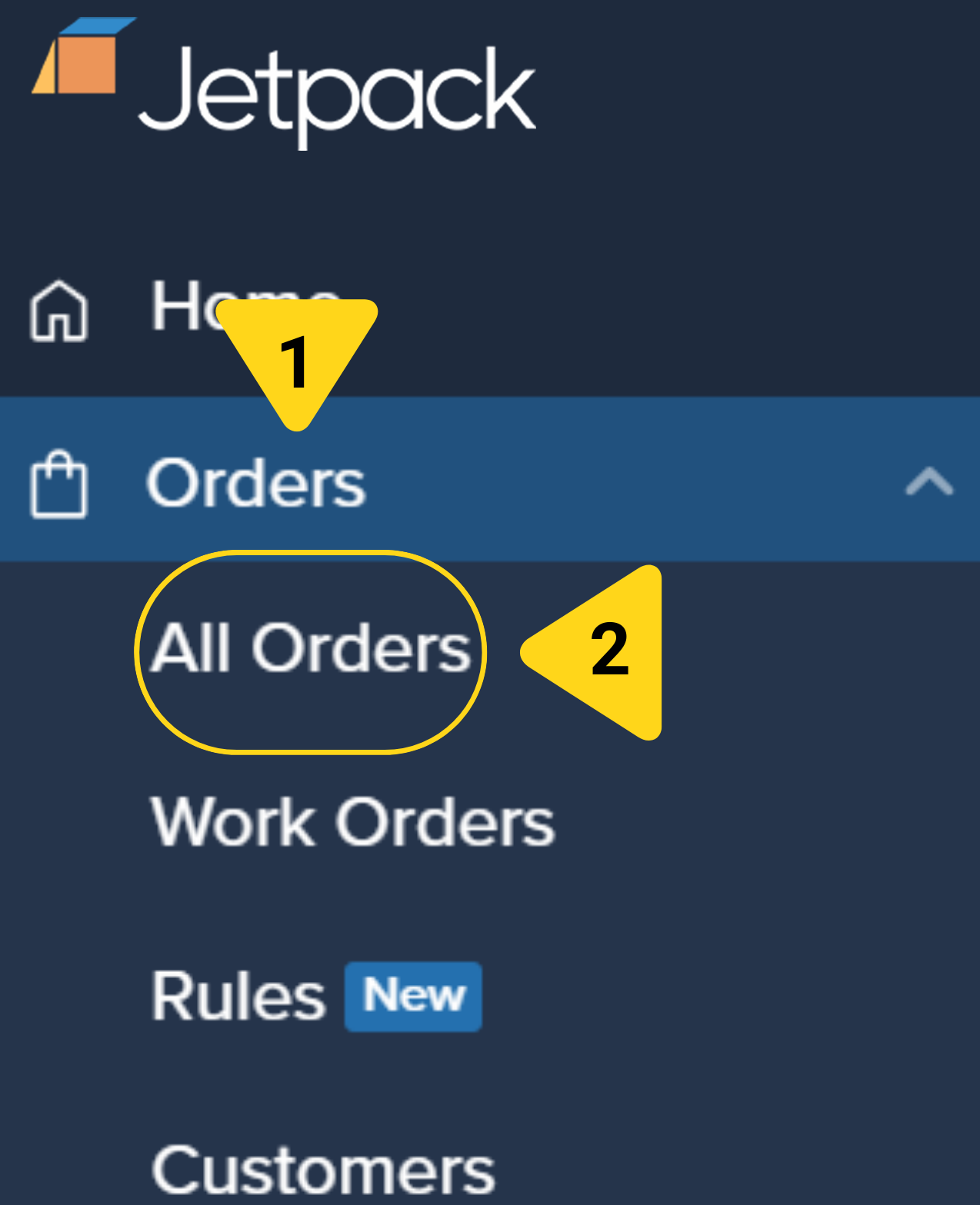
2
Select individual orders
Check the box next to each order you want to include in your bulk action.
To select every order displayed under your current filter, check the box in the top row of the table header, then click Select all in the confirmation prompt that appears.
Performing Bulk Actions
Once you’ve selected your orders, you can execute your bulk action:1
Click the Actions button and choose your action
With your orders selected, click the Actions button located above the orders table, then select the desired bulk action from the dropdown list. The system will begin processing your request.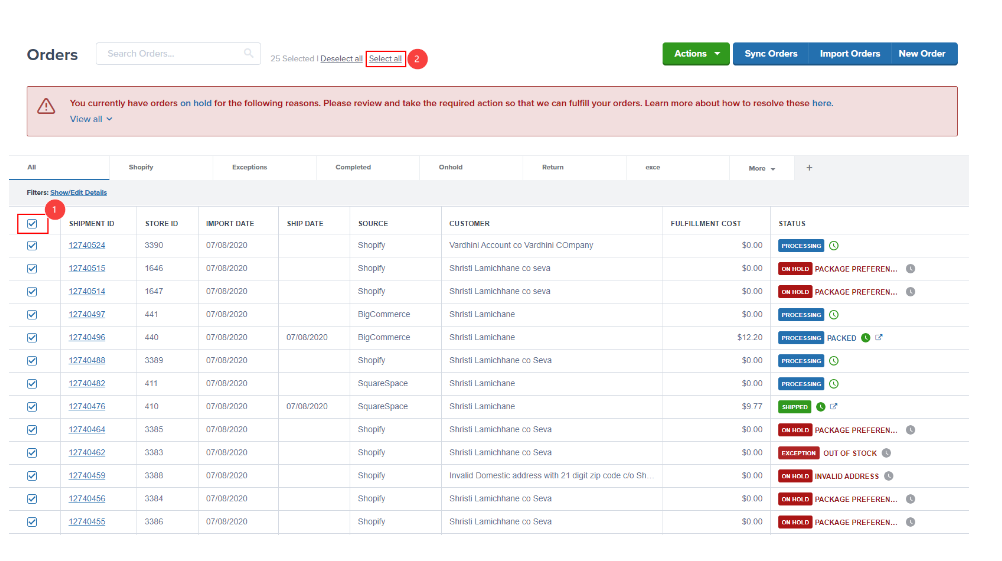
2
Review the summary email
Once Jetpack completes the bulk action, you’ll receive a summary email that includes: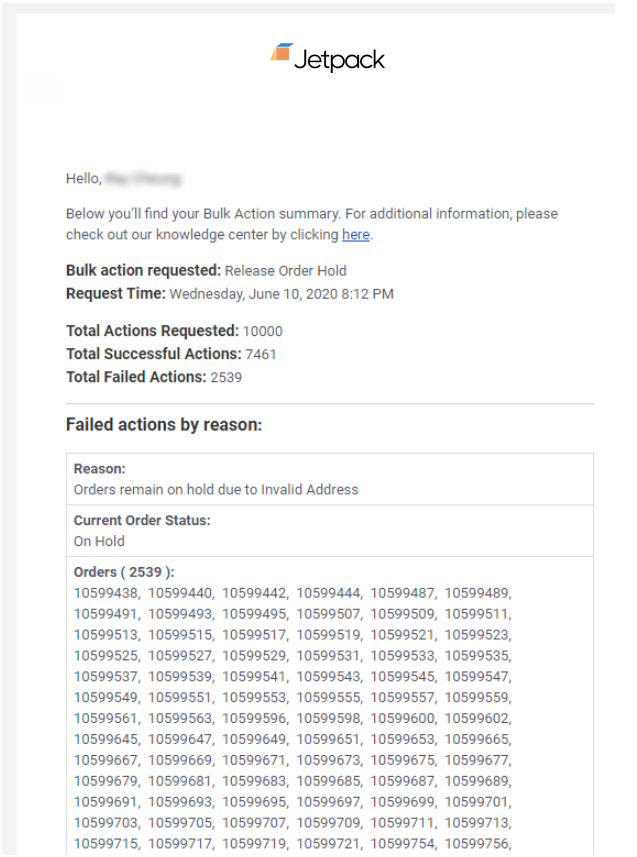
- A description of the action performed
- Whether each order succeeded or failed
- Failure reasons for any orders that weren’t processed successfully
Let’s Dive Deeper
Tools and Techniques Overview
Back to the main tools and techniques guide
Putting Orders on Hold
Manage order holds and inventory reservation
Bulk Editing Orders
Add or remove line items from orders
Copy, Cancel, or Clean Sweep Orders
Duplicate, cancel, or reprocess orders
How Jetpack's Order Flow Works
Understand order processing stages
Controlling Processing Speed
Use dummy SKUs to manage order timing
Questions? Contact Jetpack Care.
If you have any questions or run into issues, you can always contact Jetpack Care for help. Our team is always here to assist via Slack, phone, or email!