

Jetpack allows you to customize the sender name and company name that appears on the shipping labels attached to your packages. This personalization feature is available at no extra cost and can help reinforce your brand identity with every shipment.
Customizing the Sender Label on Your Packages
You can personalize the Sender Name and Company Name fields on the shipping label attached to your packages through the Jetpack dashboard. Simply enter your preferred names in the Custom Sender Label and Company Name fields in your Company Profile settings.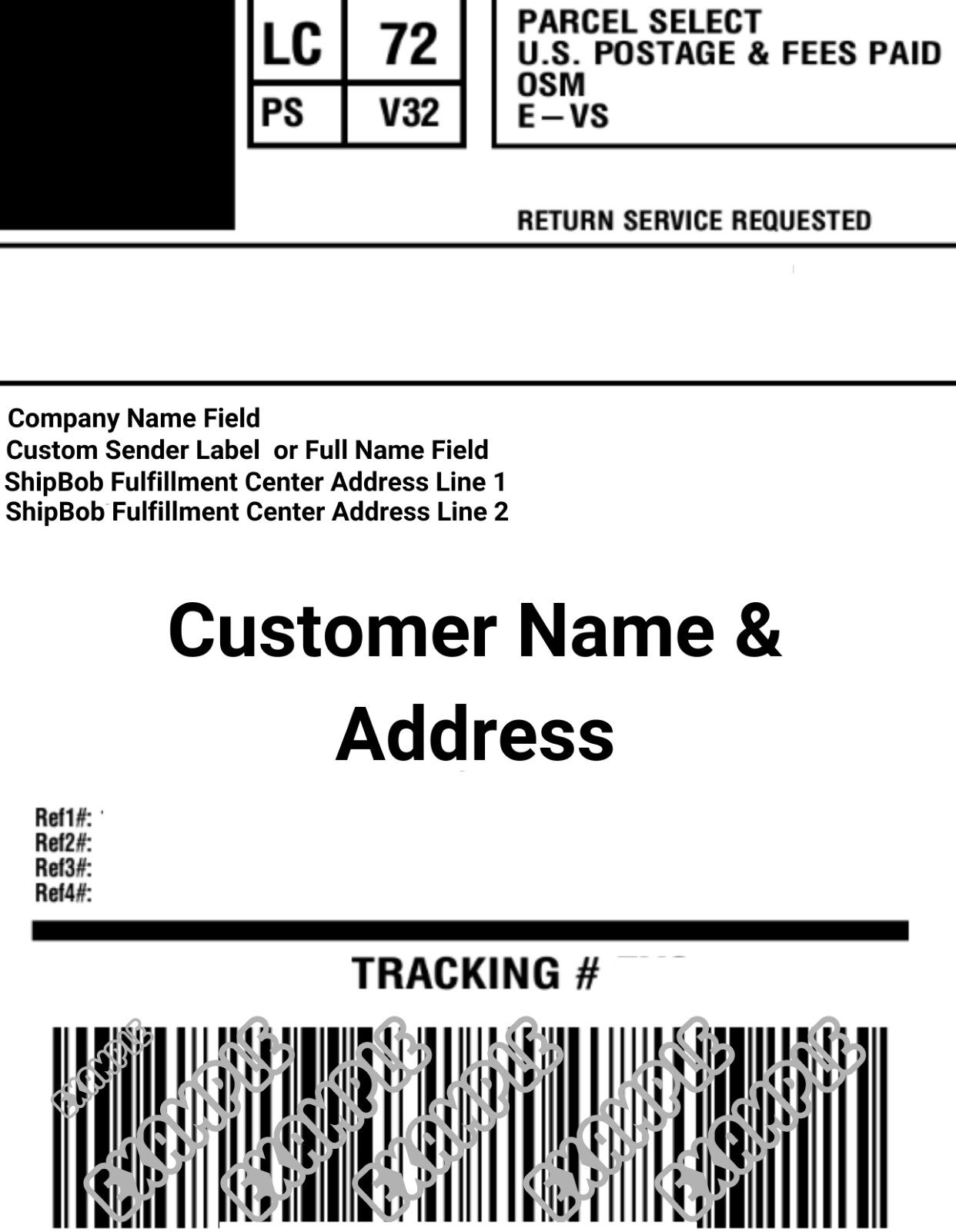
Important Guidelines
When customizing your sender labels, keep the following requirements in mind:Editing Custom Sender Labels
Follow these steps to customize your sender labels in the Jetpack dashboard:1
Navigate to Company Profile
Click Settings in the left-hand navigation bar, then select Company Profile.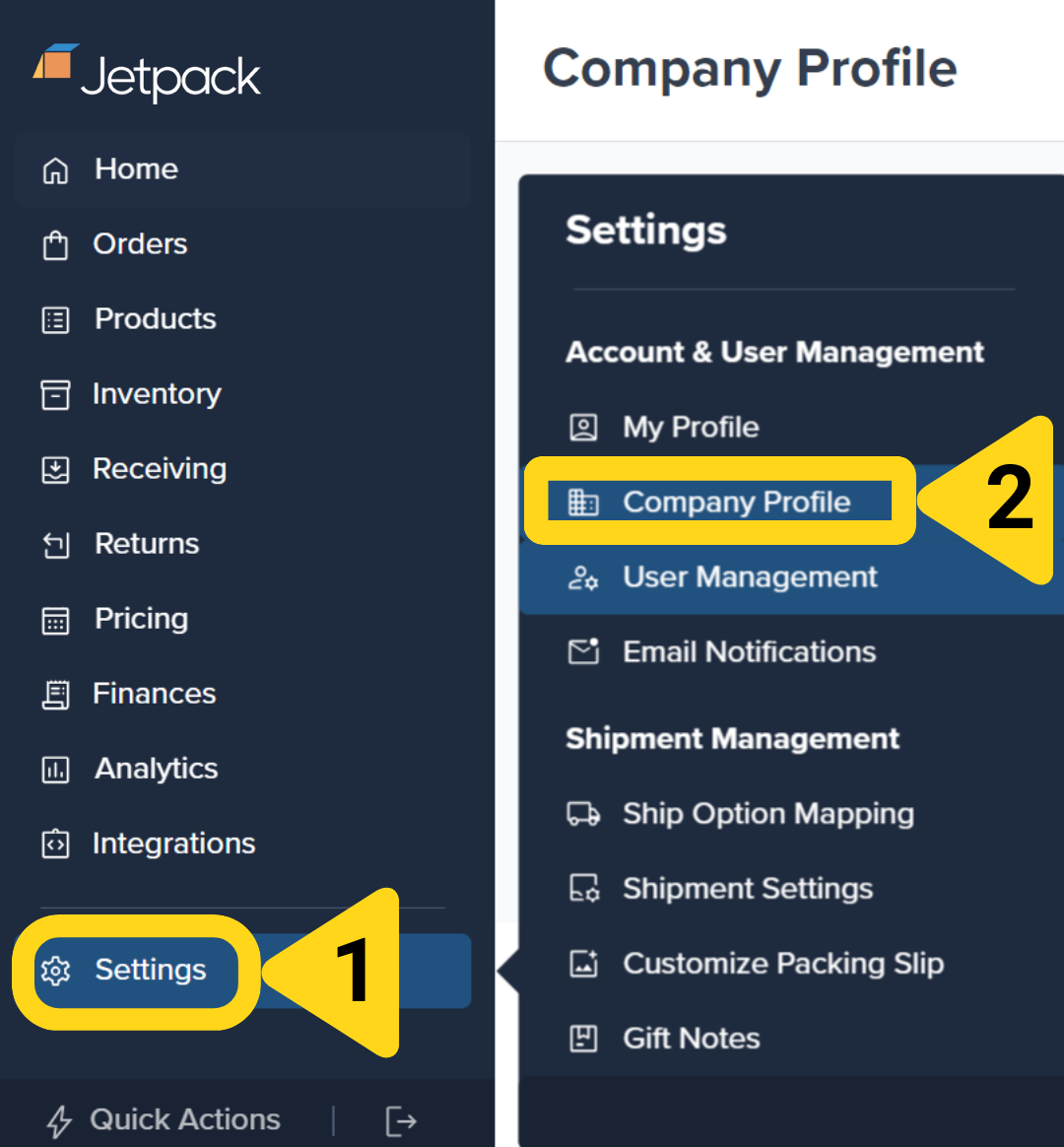
2
Open the Company Info editor
Click Edit Info in the Company Info section. A panel will appear on the right side of your screen.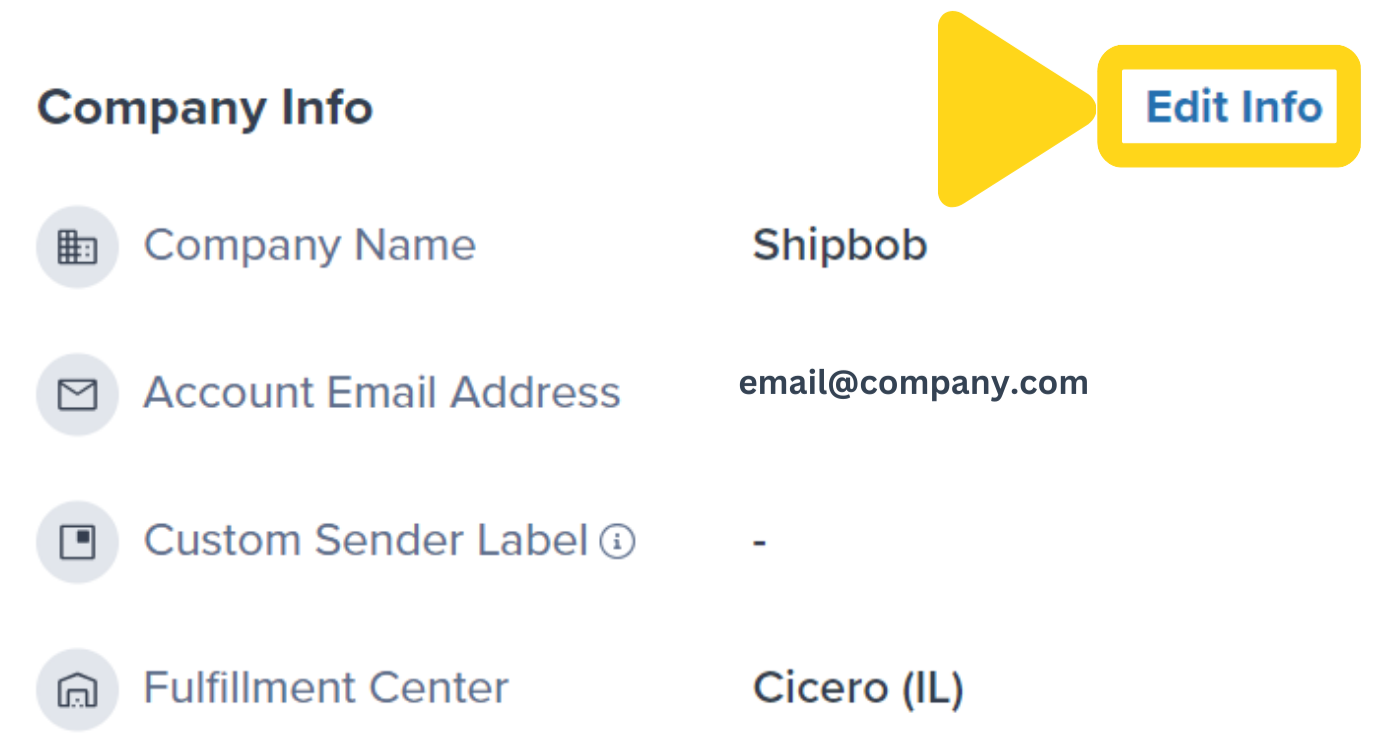
3
Enter your custom sender label and save
In the Edit Info panel that appears on the right, enter your desired Company Name in the Custom Sender Label field. The name must be at least 5 characters and no more than 35 characters (including spaces). Special characters are not supported.Once you’ve entered your custom sender label, click the Save button to apply it.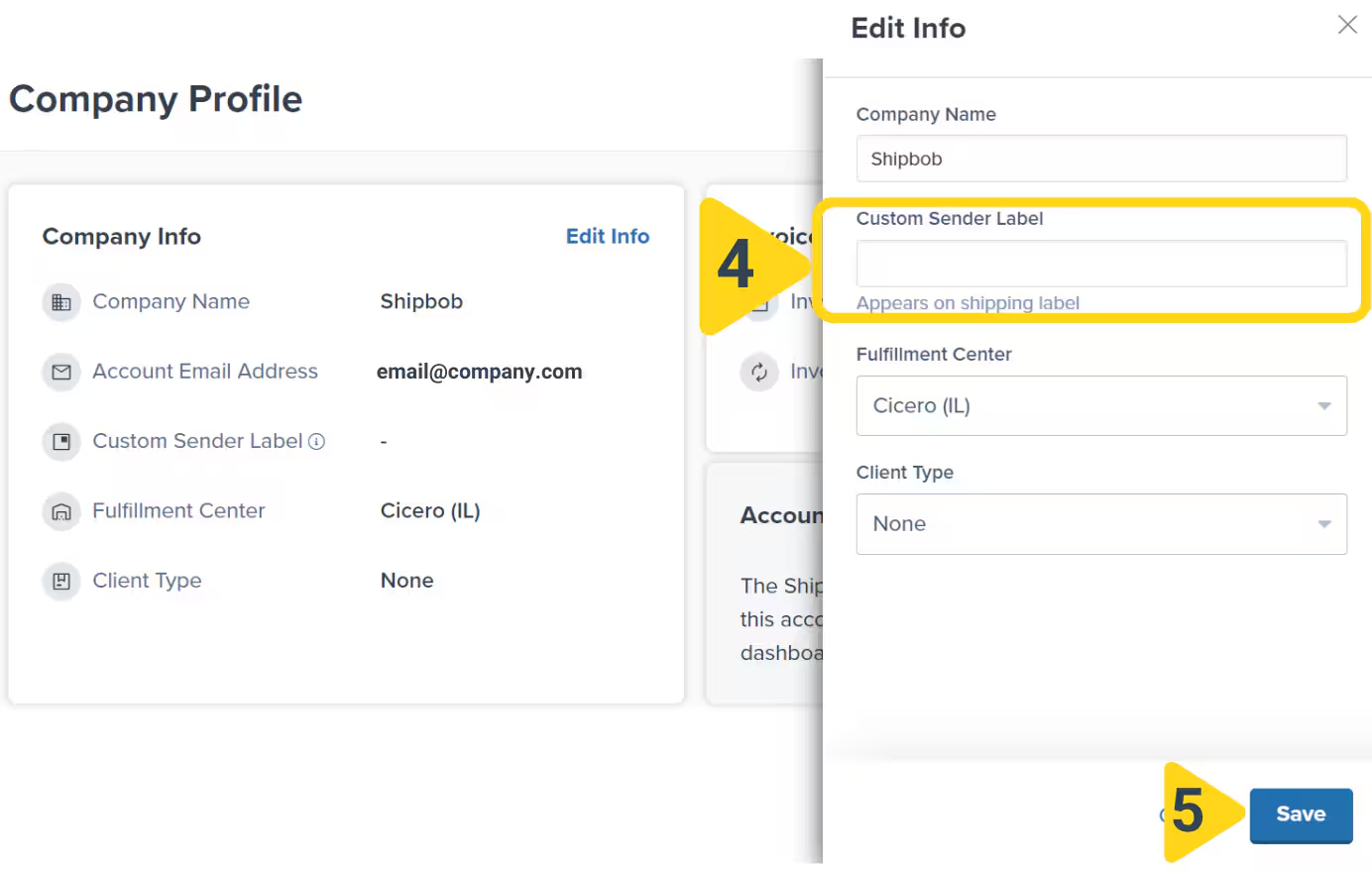
4
Confirm the update
A confirmation message will appear. Once saved, the Custom Sender Label will appear on all parcel orders for your company.
Let’s Dive Deeper
Labels and Packaging Overview
Explore all customization options
Customize Order Documents
Configure settings for gift notes and marketing inserts
Gift Notes
Add personalized Standard or Premium gift notes
Marketing Inserts
Print on-demand promotional materials
Packaging Preferences
Configure packaging types
Custom Packaging
Send custom packaging materials
Questions? Contact Jetpack Care.
If you have any questions or run into issues, you can always contact Jetpack Care for help. Our team is always here to assist via Slack, phone, or email!