

Knowing when to send more inventory is critical to maintaining healthy fulfillment operations. Jetpack provides a suite of forecasting tools, automated alerts, and intelligent reports to help you proactively replenish inventory before stockouts occur—whether you’re using a single fulfillment center or distributing across multiple locations with MultiHub IQ.
This guide introduces the key concepts, metrics, and tools that power effective replenishment scheduling, helping you balance inventory costs with service level targets.
Why Replenishment Matters
Proactive inventory management prevents three costly scenarios:- Stockouts: Orders go into Exception status when inventory runs out, frustrating customers and delaying fulfillment
- Overstocking: Excess inventory ties up capital and increases storage fees
- Distribution Imbalance: Poor allocation across fulfillment centers leads to split shipments and higher shipping costs
Understanding Key Replenishment Metrics
Before diving into the tools, familiarize yourself with these essential metrics that drive replenishment decisions:While Jetpack’s forecasting algorithms use sophisticated data analysis, forecasts should be ONE input in your replenishment strategy—not the sole decision-making tool. Consider unexpected demand changes, supply chain disruptions, promotional campaigns, and seasonality when planning replenishment.
Your Replenishment Decision Framework
When evaluating whether to replenish inventory, ask yourself:- How fast is inventory selling? Review recent order velocity and compare to historical averages
- What’s my manufacturer lead time? Factor in production time + shipping time to Jetpack
- What’s my safety stock buffer? How many days of extra inventory should you maintain to handle demand spikes?
- Are seasonal patterns approaching? Plan replenishment ahead of high-demand periods
- Is inventory balanced across FCs? For MultiHub IQ users, check distribution across regional fulfillment centers
Your Replenishment Toolkit
Jetpack provides four complementary tools to monitor inventory levels, forecast demand, and automate replenishment alerts. Each tool serves a specific purpose in your inventory management workflow.1. Reorder Points (Automated Email Alerts)
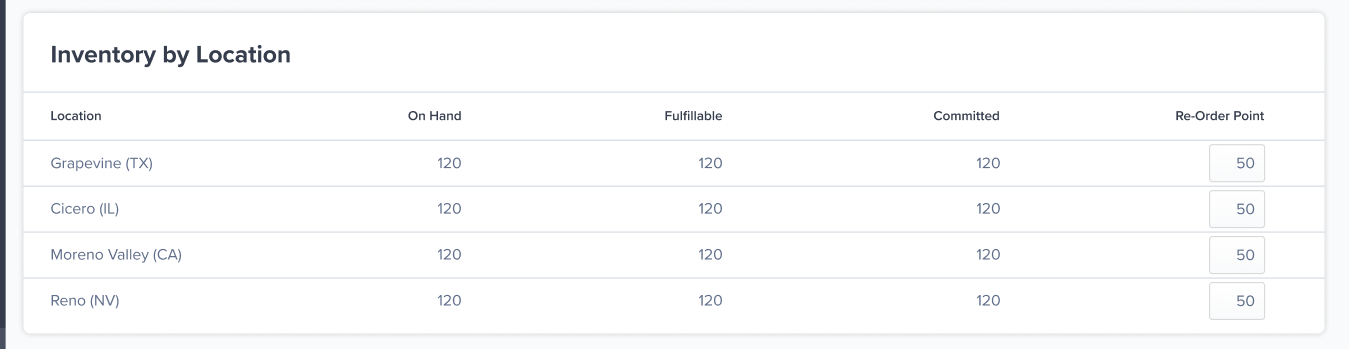
Purpose: Receive automated email alerts when stock falls below a configurable threshold for specific products at specific fulfillment centers. This is a “set it and forget it” early warning system. Key Features:- Email alerts sent automatically to account Owner role
- Configurable per product per fulfillment center
- Threshold calculated based on demand velocity and lead times
- No dashboard monitoring required—alerts come to you
- Average daily demand: 10 units/day
- Manufacturer lead time: 14 days
- Jetpack receiving SLA: 4 business days (plan on the top of the 2 to 4 business day SLA)
- Safety stock buffer: 14 days (recommended minimum)
- Reorder Point = 10 × (14 + 4 + 14) = 320 units
- Critical SKUs that cannot tolerate stockouts
- Products with predictable, steady demand
- High-velocity items requiring frequent replenishment
- Setting automatic alerts to supplement manual report reviews
2. Inventory Replenishment Report
- Daily dashboard refresh (mornings UTC)
- Weekly forecast updates (Mondays UTC)
- Three integrated sub-reports:
- D2C Inventory Replenishment Recommendation: Shows forecast quantities, rebalance points, fulfillable inventory, incoming WROs, and calculated replenishment amounts/dates
- Replenishment Analysis: Visual depletion timeline comparing projected inventory levels with and without replenishment
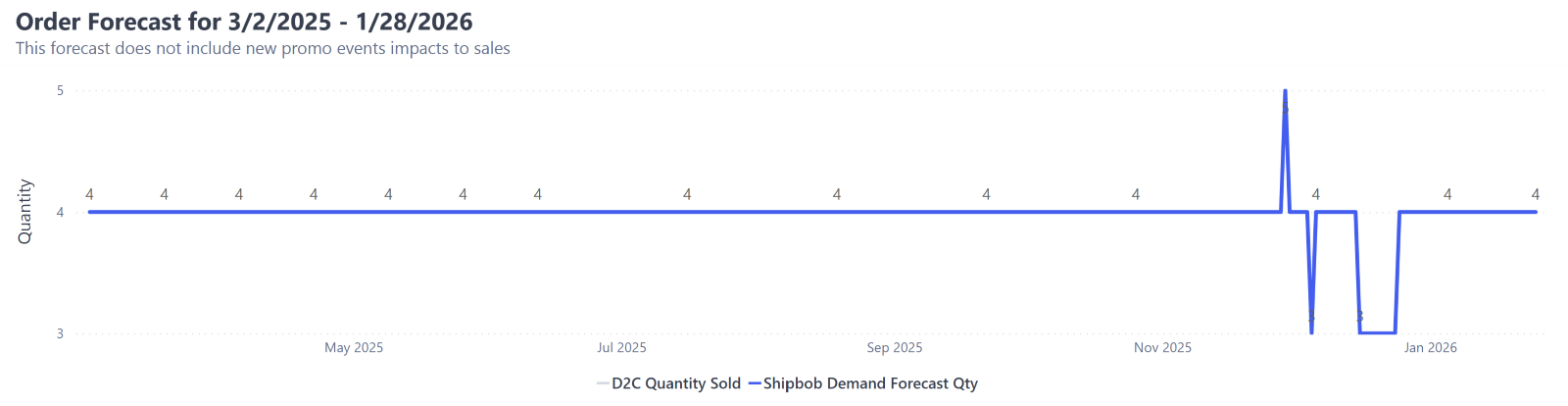
- Order Forecast: Daily unit forecasts for the next 12 months based on historical orders and seasonality
- Weekly planning sessions to review upcoming replenishment needs
- Evaluating which SKUs need attention based on forecasted depletion
- Understanding demand patterns before committing to large production runs
- Planning inventory distribution across multiple fulfillment centers (for MultiHub IQ users)
- Recommended Replenishment Quantity = Fulfillable - Incoming + (3 months projected demand)
- Recommended Replenishment Date = Date when (Fulfillable + Incoming) < Rebalance Point, adjusted backward by Order-to-Hub Lead Time
For merchants using MultiHub IQ to distribute inventory across multiple fulfillment centers, this report shows Rebalance Points (total units recommended across your entire network) rather than individual fulfillment center thresholds. After creating your WRO to your Hero Hub, MultiHub IQ automatically generates transfer plans to distribute inventory optimally based on regional demand patterns.
3. Inventory Velocity Report
- Daily dashboard refresh (mornings UTC)
- Four integrated sub-reports:
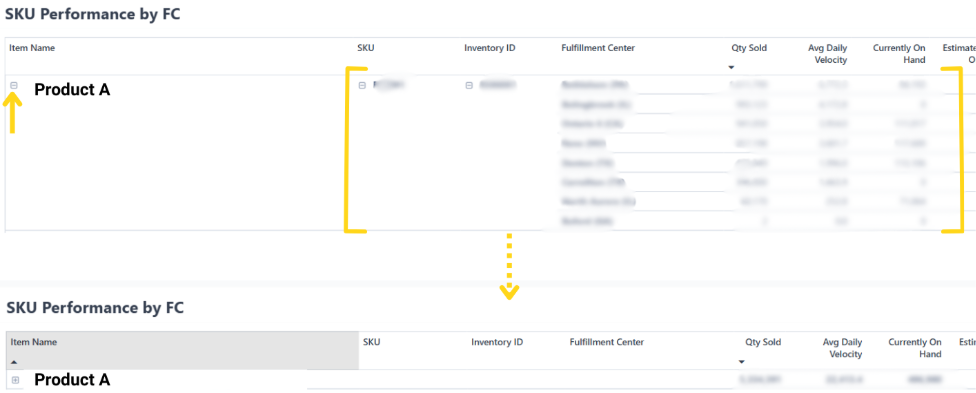
- SKU Performance by FC: Total units sold, average daily velocity, current on-hand inventory, and estimated days remaining per fulfillment center
- Top 5 SKUs: Highest performing products by sales volume
- Bottom 5 SKUs: Lowest performing products by sales volume
- Units Sold: Trend visualization with drill-down by day, month, quarter, or year
- Understanding sales velocity for each SKU to calculate appropriate reorder points
- Identifying slow-moving inventory that may need promotional support or reduced replenishment
- Spotting fast-moving SKUs that require more frequent replenishment cycles
- Analyzing estimated days on hand to prioritize which products need immediate attention
- Total Units Sold: Cumulative units sold across all fulfillment centers (excludes kitting, case breakdowns, and restocked units)
- Average Daily Velocity: Calculated as Total Quantity Sold ÷ Number of Days in Date Range
- Estimated Days On Hand: Projection of how long current inventory will last based on average daily velocity
- Currently On Hand: Available units as shown on Inventory Status page
4. Out of Stock Inventory and Exception Orders Report
- Daily refresh at 10am UTC
- Four integrated sub-reports:
- Summary: Overview of total exception orders, SKUs with sufficient incoming inventory, SKUs with insufficient incoming inventory, and SKUs with no incoming WROs
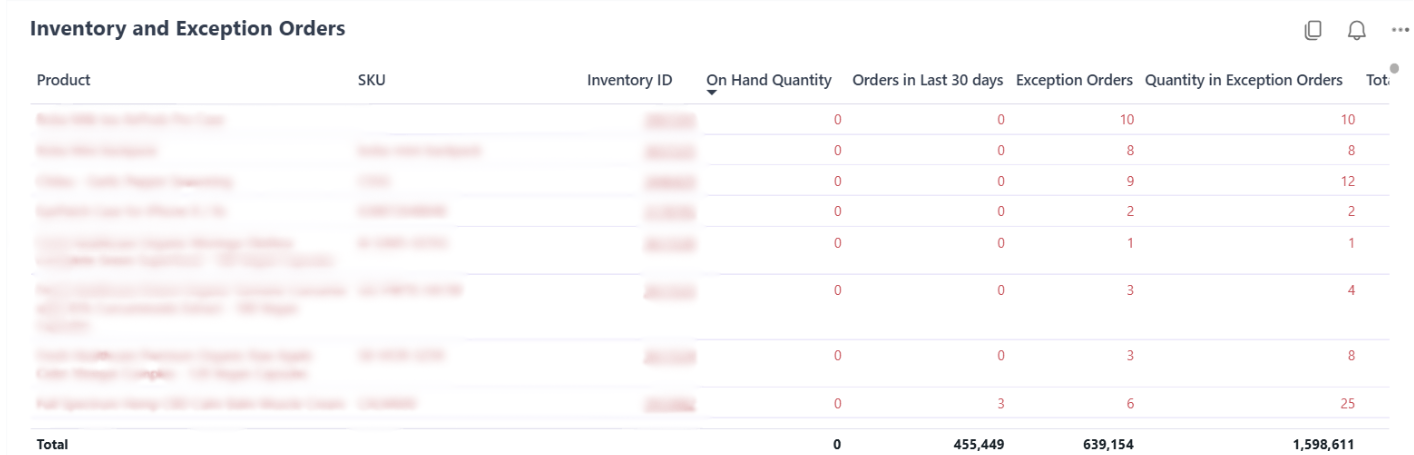
- Inventory and Exception Orders: SKU-level details showing fulfillable on-hand units, recent order volume, exception order count, and incoming WRO quantities
- On-Hand Quantity by FC: Distribution of inventory across all fulfillment centers
- Incoming WRO: All WROs created to restock out-of-stock SKUs with arrival timelines
- Exception Orders: Individual orders in Exception status with quantity details and affected SKUs
- Daily monitoring to catch stockouts as they occur
- Prioritizing which SKUs need emergency replenishment based on exception order count
- Verifying that incoming WROs will resolve existing exception orders
- Understanding inventory distribution issues that cause regional stockouts
Best Practices for Replenishment Scheduling
Follow these proven strategies to maintain optimal inventory levels:- Review reports weekly: Schedule a standing meeting to review the Inventory Replenishment Report and Out of Stock Report
- Set reorder points for critical SKUs: Configure automated alerts for your top 20% of products by revenue
- Factor in seasonality: Increase safety stock before known high-demand periods (holidays, promotional campaigns)
- Maintain 14+ days safety stock: Build a buffer to account for unexpected demand spikes and supply chain delays
- Monitor lead time accuracy: Track actual order-to-hub lead times and adjust defaults if consistently over/under estimated
- Balance cost vs. service level: Higher inventory levels reduce stockout risk but increase storage fees—find the right balance for your business model
- Use forecasts as ONE input: Combine Jetpack’s data-driven forecasts with your own market knowledge and promotional plans
MultiHub IQ Considerations
If you’re using MultiHub IQ to distribute inventory across multiple fulfillment centers, keep these additional considerations in mind:Rebalance Points vs. Reorder Points
- Rebalance Point: Total units recommended across your entire network (all FCs combined)
- Reorder Point: Threshold for a single FC that triggers an alert
Auto-Distribution Benefits
MultiHub IQ removes the guesswork from inventory allocation:- Data-driven placement: Algorithm analyzes where orders originate to position inventory optimally
- Dynamic rebalancing: As demand patterns shift, Jetpack can move inventory between FCs via ITOs
- Reduced split shipments: Better inventory distribution means more orders ship from a single FC
Transfer Plan Editing Window
After creating a WRO destined for your Hero Hub, you can edit the auto-generated transfer plan until the shipment arrives at the hub. Once receiving begins, the transfer plan locks and executes. Review transfer plans promptly if you need to make adjustments based on:- New product launches requiring specific FC stocking
- Promotional campaigns targeting specific regions
- Seasonal demand shifts
Replenishment Workflow Summary
Here’s how the tools work together in a typical replenishment workflow:Let’s Dive Deeper
Sending Inventory Overview
Back to the main guide on our receiving process
Creating a WRO
Create Warehouse Receiving Orders to replenish your inventory
Inventory Replenishment Report
Access 12-month demand forecasts and replenishment recommendations
Inventory Velocity Report
Analyze SKU performance metrics and sales velocity trends
Out of Stock Report
Monitor stockouts and resolve exception orders quickly
MultiHub IQ Replenishment
Use intelligent distribution across multiple fulfillment centers

Questions? Contact Jetpack Care.
If you have any questions or run into issues, you can always contact Jetpack Care for help. Our team is always here to assist via Slack, phone, or email!