> ## Documentation Index
> Fetch the complete documentation index at: https://help.jetpack3pl.com/llms.txt
> Use this file to discover all available pages before exploring further.
# Upload Order Attachments
> Learn how to attach invoices, shipping labels, bills of lading, and other documents to B2B orders and work orders in Jetpack.
B2B orders often require additional documentation like invoices, pre-paid shipping labels, bills of lading, or custom instructions. Jetpack allows you to upload these files directly to your orders so fulfillment teams can access them during processing. This guide walks you through the steps to attach files to B2B orders and work orders.
## When to Use Order Attachments
Use attachments to provide additional documentation that may be required for processing your B2B order or work order. Common attachment types include:
* **Invoices** - Commercial invoices for customs or customer records
* **Pre-paid Shipping Labels** - Carrier labels you've purchased separately
* **Bills of Lading (BOL)** - Freight shipping documentation
* **Packing Instructions** - Special handling or placement requirements
* **Custom Documentation** - Any other files needed for order fulfillment
When uploading files like shipping labels or invoices, include clear instructions on where each attachment should be placed (e.g., "Apply label to outside of master carton," "Include invoice in box 1 of 3"). This ensures the fulfillment team knows exactly how to handle each document.
***
## Eligibility
Attachments can only be added to:
* **B2B Orders** - Wholesale or bulk shipments
* **Work Orders** - Kitting, bundling, or special project orders
Attachments are not currently supported for standard direct-to-consumer (D2C) orders. If you need to include documentation with D2C orders, consider using [custom packing slips](/fulfillment/account-setup/shipping-preferences/customizing-packing-slips).
***
## How to Upload Order Attachments
Follow these steps to attach files to your B2B order or work order:
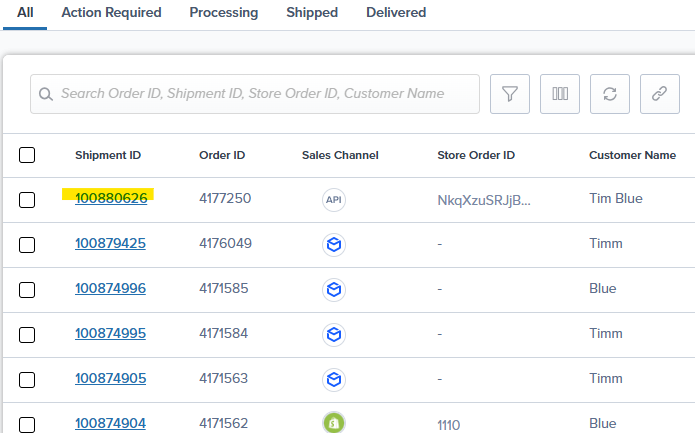
From the Jetpack dashboard, click **Orders** in the main navigation, then locate and select the relevant order by clicking its **Shipment ID**.
 Within the shipment details panel, scroll down to the **Attachments** section.
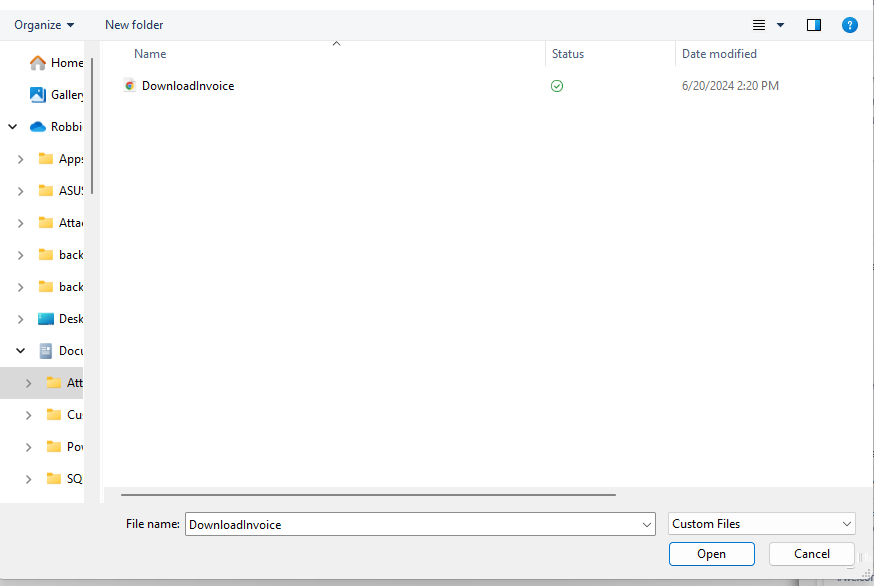
Click **Upload Attachment**, then select the file from your computer.
Within the shipment details panel, scroll down to the **Attachments** section.
Click **Upload Attachment**, then select the file from your computer.
 Once uploaded, your attachment is available for the fulfillment team to reference during order processing.
Jetpack supports common file formats including PDF, JPG, PNG, and other standard document types. For best results, use PDF format for multi-page documents like invoices or bills of lading.
***
## Learn More About B2B Fulfillment
* [Our Approach to B2B](/fulfillment/b2b) - Overview of B2B and wholesale fulfillment
* [Creating Manual B2B Orders](/fulfillment/b2b/creating-manual-b2b-orders) - How to manually create B2B orders
* [B2B Turnaround Times](/fulfillment/b2b/b2b-turnaround-times) - Service level agreements for B2B orders
* [Work Orders Page](/fulfillment/order-management/work-orders-page) - Managing kitting and custom work orders
Once uploaded, your attachment is available for the fulfillment team to reference during order processing.
Jetpack supports common file formats including PDF, JPG, PNG, and other standard document types. For best results, use PDF format for multi-page documents like invoices or bills of lading.
***
## Learn More About B2B Fulfillment
* [Our Approach to B2B](/fulfillment/b2b) - Overview of B2B and wholesale fulfillment
* [Creating Manual B2B Orders](/fulfillment/b2b/creating-manual-b2b-orders) - How to manually create B2B orders
* [B2B Turnaround Times](/fulfillment/b2b/b2b-turnaround-times) - Service level agreements for B2B orders
* [Work Orders Page](/fulfillment/order-management/work-orders-page) - Managing kitting and custom work orders

Questions? Contact Jetpack Care.
If you have any questions or run into issues, you can always contact Jetpack Care for help. Our team is always here to assist via Slack, phone, or email!